Writing an accurate percentage calculator formula in Excel requires understanding how the spreadsheet engine handles cell references, floating-point math, and division errors.
The Anatomy of Excel Percentage Syntax
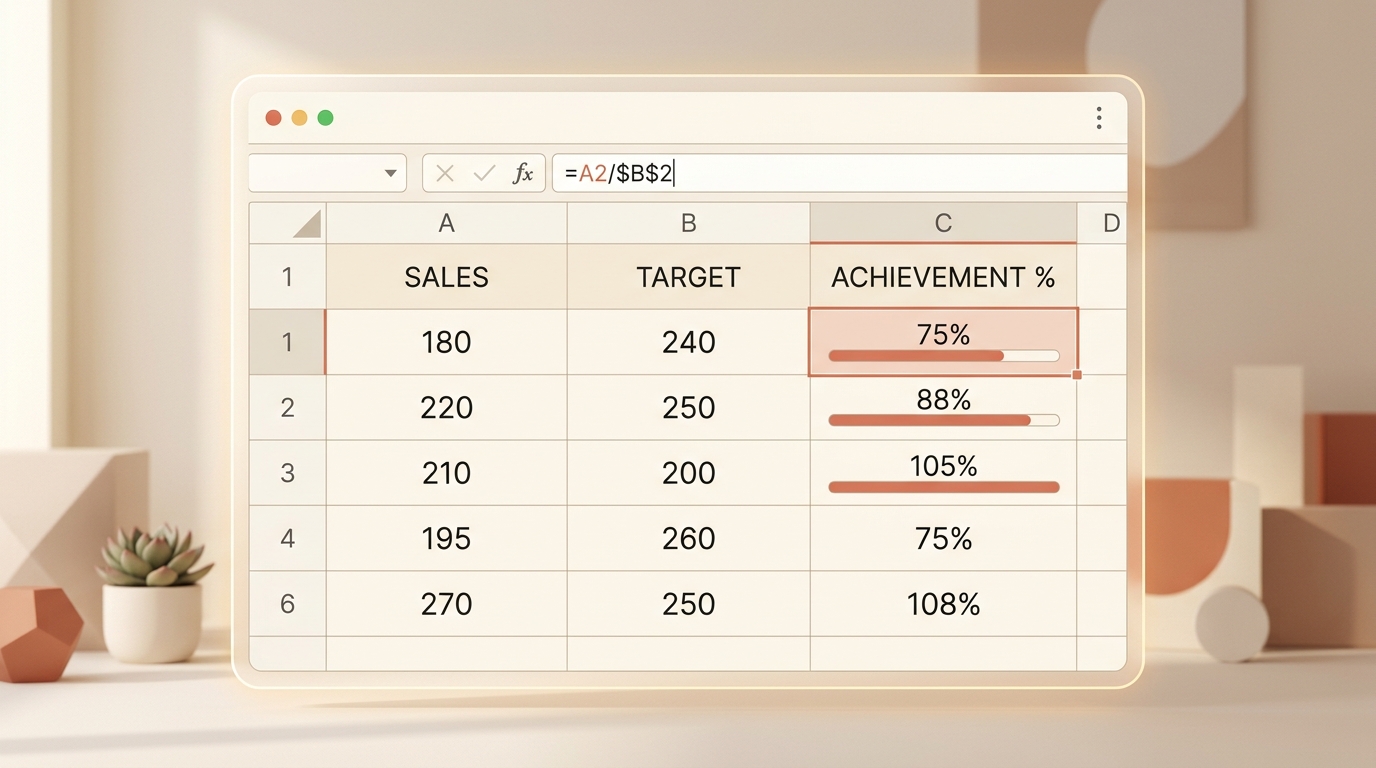
Excel formulas always begin with an equals sign (=). To calculate what percentage cell A2 is of B2, enter:
After pressing Enter, apply the percentage format via the Home ribbon or keyboard shortcut Ctrl + Shift + %.
Absolute vs. Relative Cell Referencing ($ Signs)
When calculating each row’s share of a column total, lock the denominator cell using dollar signs: =A2 / $A$10. This allows autofilling down hundreds of rows without breaking the denominator.
Preventing #DIV/0! Errors with IFERROR
If your dataset contains empty rows or zero totals, wrap the formula: =IFERROR(A2 / B2, 0). This keeps reports clean and presentable.
Need to test a formula before writing your macro? Check the numbers on our Percentage Calculator.
Highlighting Trends with Data Bars & Conditional Formatting
Visualizing percentages directly within spreadsheet cells allows team members to spot quantitative trends without opening external chart widgets:
- In-Cell Data Bars: Select your percentage column, click Conditional Formatting → Data Bars, and choose a soft gradient fill. Excel dynamically scales the bar length proportional to the percentage (0% to 100%).
- Three-Color KPI Heatmaps: Apply a Green-Yellow-Red color scale to highlight high performance (>90%) in green, average results (70%–89%) in yellow, and lagging areas (<70%) in red.
- Icon Sets for Variance: Use up/down directional arrows to signal positive versus negative percentage change against target benchmarks.
Explore instant ratio calculations on our Ratio Tool.