Whether analyzing month-over-month website analytics, evaluating a promotion offer, or budgeting for utility rate hikes, an increase percentage calculator clarifies exact numerical growth.
The Percentage Increase Equation
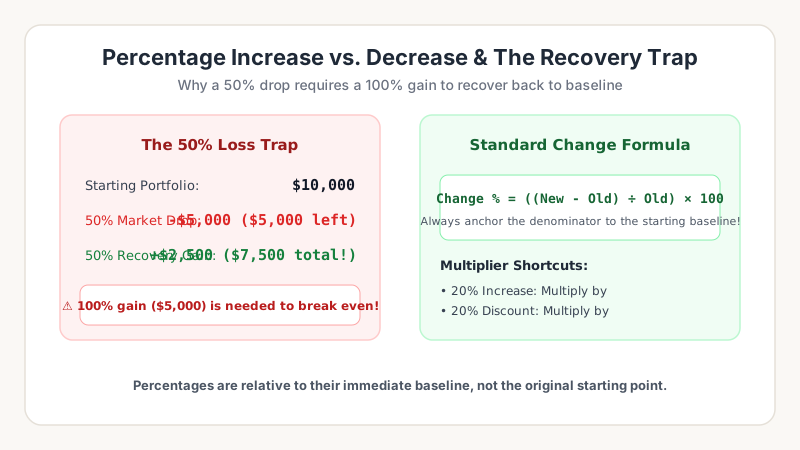
Always divide by the starting baseline number! If a KPI grows from 80 to 120: (120 - 80) ÷ 80 = 40 ÷ 80 = 0.50 × 100 = +50% increase.
Evaluate your growth metrics using our Percentage Change Tool.
Worked Example: Evaluating a Salary Raise
Suppose you are currently earning an annual salary of $62,000 and receive a promotional offer for $71,300. How do you quantify this career progression?
- Step 1: Calculate dollar difference: $71,300 - $62,000 = +$9,300 raise.
- Step 2: Divide by baseline salary: $9,300 ÷ $62,000 = 0.15
- Step 3: Convert to percentage: 0.15 × 100 = +15.0% increase.
Comparing your 15% increase against current annual inflation (e.g. 3.5%) proves that your real purchasing power expands by a net +11.5%.
Measuring Business Growth & Inflation
Companies track percentage increase as their primary KPI for monthly recurring revenue (MRR), user acquisition, and supplier cost variance over time.
| Commercial Metric | Baseline (Period 1) | Current (Period 2) | Formula | Percentage Growth |
|---|---|---|---|---|
| Monthly Active Users | 45,000 | 58,500 | ((58.5k - 45k) ÷ 45k) × 100 | +30.0% |
| Average Order Value | $42.50 | $51.00 | (($51 - $42.5) ÷ $42.5) × 100 | +20.0% |
| Wholesale Shipping Cost | $1,200 | $1,380 | (($1,380 - $1,200) ÷ $1,200) × 100 | +15.0% |
Track your percentage gains using our Percentage Increase Calculator.